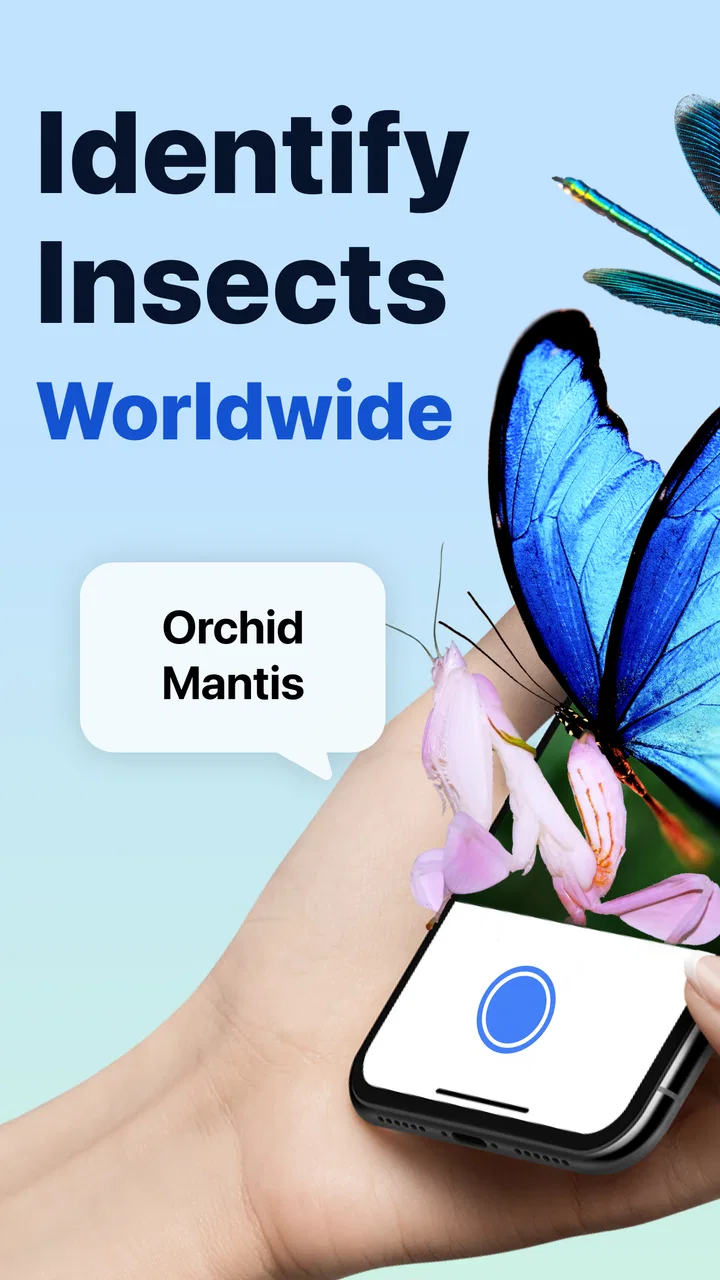
Picture Insect: Bug Identifier
- 4.3
- Rating
- 5.00M
- Installs
- Free
- Price

 Analysis by App-foxy
I opened Picture Insect: Bug Identifier after finding an unfamiliar insect near a window, expecting a quick answer rather than a full lesson in entomology. That is still the way I use it: point the phone at a bug, take a picture, and use the result as a starting point for deciding what I am looking at. It is an education app from Next Vision Limited, and its focus is practical rather than academic. The app can help identify insects, spiders, pests, butterflies, and similar small creatures, which makes it particularly useful in a home where several people keep asking the same question: “What is that?”
My overall impression is positive, with an important qualification. This is a convenient visual reference, not a substitute for a trained pest professional or a carefully verified species guide. A clear photograph can produce a useful suggestion quickly, but a blurry image, a partially hidden insect, or a species with close lookalikes can make the result less dependable. I like it most when I treat the identification as informed guidance and then inspect the details for myself.
How it works when everyone in the home wants an answer
The most natural shared-use scenario is simple. Someone spots a beetle in the kitchen, a spider in the garage, or a butterfly in the garden, and another person reaches for the phone. Instead of passing around a general web search with dozens of unrelated images, I can capture the subject directly and keep the question tied to the photograph. That small change makes the process easier for children, visitors, and adults who do not already know the vocabulary needed to search effectively.
You May Also Like

 Blood Strike: 2.5 Anniversary
Blood Strike’s Loadouts Turn Every Drop Into a Tactical Gamble
A close look at Blood Strike’s custom loadouts: how fast access to signature weapons reshapes its battle royale rhythm, rewards preparation, and narrows the gap between fights.

 Pandora - Music & Podcasts
Pandora’s Music Is Easy to Start, but Harder to Recover
Pandora’s strength is its low-effort path from a seed to a station. Its weak spot is how much confidence it asks you to place in connection, setup, and quiet recovery.

 8 Ball Pool
 Is Built on Rivalries, Rematches, and Routine
A close look at the rivalries, rematches, shared routines, and unanswered safety questions that turn a quick pool match into a persistent mobile community.

 Samsung Music
’s Quiet Strength Is Playing What You Already Own
Its reach comes less from spectacle than from dependable access to a personal library. That simplicity is both the app’s strongest retention engine and its ceiling.

 AccuWeather: Weather Radar
AccuWeather Review: A Quick, Clear Forecast for Everyday Decisions
For everyday plans, the best forecast is the one you can understand quickly. AccuWeather makes rain timing, radar, and local conditions easy to act on, with a few trade-offs.

 Hill Climb Racing
Why Hill Climb Racing Still Turns Crashes Into One More Run
A tiny car, a bumpy hill and one more upgrade: Hill Climb Racing keeps resurfacing because its simple chaos makes every near-miss feel personal.
More From Our News Desk



I found the camera-first approach more useful than beginning with a long list of insect names. A child does not need to know whether a creature is a beetle, moth, or wasp before asking for help. The image supplies the starting point. For a household, that turns a moment of uncertainty into a short observation activity: photograph the insect, review the suggested identification, compare visible features, and decide whether the next step is simply leaving it alone or seeking more information.
The app is also suitable for a shared tablet or a phone that stays in a common area, provided everyone understands that the device is being used as a shared tool rather than as a personal account space. I would not assume that one person’s history, preferences, or saved material should be treated as private just because the phone is used by several people. The practical boundary is straightforward: use the camera and results together, and avoid entering personal information unless you have a clear reason to do so.
For a household with a garden, the app can support a more thoughtful approach to insects. Instead of immediately labeling every unfamiliar creature as a pest, I can use the image to ask what it might be and whether it is even causing a problem. That is a useful habit, especially for children who are curious but nervous around bugs. The identification process does not need to become a lesson every time, but it can encourage observation before action.
What I do before taking the picture
The quality of the photograph matters more than many new users expect. I get better results when I move close enough for the insect to occupy a useful part of the frame, while keeping the phone steady. I try to photograph the whole body rather than only a wing or a leg. If the creature is moving, I take more than one image from a safe distance and choose the clearest one instead of relying on the first hurried shot.
Lighting is another practical issue. A strong reflection on a shiny shell can hide markings, while a dark corner can make a small spider look like an indistinct shape. I prefer soft daylight and avoid casting my own shadow over the subject. When the insect is on a wall, I angle the phone slightly rather than pressing in close. This is not just about recognition; it also keeps the person taking the photo from disturbing a potentially defensive insect.
One of my more useful habits is to photograph the surrounding context as a separate reference for myself. The close image is better for identification, while a wider view can show whether the insect is on a plant, near food, beside damp wood, or close to a light. The app should not be expected to infer every environmental detail from one picture. Combining the visual result with where the insect was found gives a more sensible basis for deciding what to do next.
If the first result seems surprising, I do not immediately treat it as wrong or right. I retake the picture, check whether the body shape and visible markings fit, and compare the suggestion with a trusted external source when the distinction matters. This is especially important for household pests, where an incorrect guess could lead someone to use an unsuitable treatment. In those situations, the app is best used for narrowing possibilities, not for making a high-consequence decision on its own.
Keeping shared use organized without pretending it is a family system
Picture Insect: Bug Identifier works well as an informal household reference, but I would not confuse shared access to a device with coordinated family management. The app gives people a common way to investigate a bug; it does not automatically create a household workflow. If several people use the same phone, I recommend agreeing on a simple routine: take the clearest photo, read the result together, and tell the others what was found rather than assuming everyone will see the same screen later.
That routine is particularly helpful when one person is responsible for the garden or home maintenance and another person is the one who notices the insect. A quick photo can be passed to the person who knows the location and context. The person receiving it can then decide whether the result is enough for a casual identification or whether a more authoritative check is needed. This division of roles makes the app useful without giving it more authority than it deserves.
I also prefer keeping the app’s role narrow on a shared device. It is excellent for answering “What could this be?” during a conversation. It is less suitable as the only record of recurring pest activity, because a household may need dates, locations, photos, and observations gathered in a consistent way. For that kind of coordination, I would use a separate shared note or household system alongside the app, rather than expecting the identifier to become a complete monitoring tool.
Another practical boundary concerns purchases. The app is free to download and use, but it includes in-app purchases ranging from $2.99 to $39.99 per item. On a shared phone, I would make sure that the person taking pictures understands that free access and optional paid items are not the same thing. This matters even more when children use the device. A shared-use arrangement is easier when the adult who manages purchases handles any upgrade decision and explains it clearly to everyone else.
I would also avoid handing the phone to a child while an adult is distracted and assuming that curiosity alone will keep the session within the free experience. The safest household habit is to review any purchase prompt together. That is not a criticism unique to this app; it is simply sensible whenever a free app offers optional paid content. Clear expectations prevent a small insect-identification session from becoming an unexpected account or payment conversation.
Age, trust, and how much confidence to place in an identification
The Everyone content rating makes the app approachable for a broad household audience. In my experience, its subject matter naturally works for children because it connects a photograph with a real object they can see in the garden, on a windowsill, or during a walk. A parent can turn the result into a short discussion about appearance, habitat, and safe behavior without needing to make the app feel like formal homework.
Still, an age-friendly subject does not remove the need for supervision around live insects. Children should not be encouraged to touch an unfamiliar spider, pick up a wasp, or move a creature closer to the camera. The best workflow is to photograph from a safe distance and let an adult handle any situation involving a possible bite, sting, infestation, or allergic concern. The app can support curiosity, but it cannot assess physical risk in the room.
Trust is also about how the result is presented. I would teach a child to say “the app suggests” rather than “this definitely is.” That wording is more accurate and helps build good digital judgment. Image recognition can be impressive, but similar-looking insects exist, and a single photograph may not show the features needed for a firm conclusion. Encouraging a second look is more valuable than rewarding the fastest answer.
For adults, the same principle applies when the result affects a household decision. If a suspected pest appears repeatedly, if there are many insects, or if the identification would change how someone treats a room or pet, I would verify it with a qualified local source. The app can help me ask a better question and describe what I saw, but I would not use it as permission to apply chemicals, remove a nest, or handle an unknown animal.
Privacy expectations deserve a calm, practical approach. A camera-based app naturally requires the user to take or select an image for its main purpose, but I would still avoid photographing people, documents, or private parts of the home unnecessarily. On a shared device, crop or retake an image when the background reveals more than the insect. This keeps the session focused and makes the photo easier to inspect at the same time.
Where it is stronger than ordinary searching
The usual alternative is a web search. That can be better when I already know the broad group and need detailed information about behavior, regional differences, life stages, or safe removal. However, a web search is frustrating when I have no useful name to enter. I may search for “small brown bug in bathroom” and receive pages that are difficult to compare. Picture Insect reduces that initial vocabulary problem by letting the image lead the investigation.
Compared with a general camera search tool, this app feels more focused on small creatures. That focus is valuable when the subject is a butterfly, spider, insect, or household pest rather than a product, plant, or landmark. I do not need to reshape the question into a broad visual-search task. The trade-off is that a specialized identifier still depends heavily on the photograph and may not provide the depth of a dedicated field guide.
Compared with a printed guide, the app is faster and easier to carry, especially when the insect is moving. A book remains better for learning how species differ across multiple stages and for browsing without taking a photo. I would choose the book or a specialist reference when I want to study a family of insects carefully. I would choose this app when I need a quick first pass during an ordinary moment at home.
One non-obvious strength is the way it lowers the barrier to asking a useful question. Someone who would never search for technical insect terminology can still produce a photograph and begin. That makes it a good bridge between casual curiosity and more serious research. The weakness is that the same ease can encourage people to stop at the first label. Its value depends on whether the user treats the result as a starting point or a final verdict.
Version, access, and the practical trade-offs
The current version is 2.9.1, and it runs on operating systems from version 9 onward. That makes it accessible on many older compatible devices, which is useful for a household that keeps a previous phone as a shared camera or learning device. Before setting it up for a child or a common-area tablet, I would still check that the device handles the camera comfortably and has enough room for ordinary photo use.
The app has reached more than five million installs, with an average rating of 4.3 from roughly thirty-nine thousand ratings and about three thousand one hundred written reviews. Those figures suggest that the basic idea has broad appeal, but they should not replace personal testing in the exact conditions where you plan to use it. Camera quality, lighting, insect movement, and local species all affect the experience more than a store score can show.
I appreciate that the download price is free because it lets a household try the central workflow before deciding whether it belongs in regular use. The optional purchases are the main point where I would slow down and make a deliberate choice. If the app is used only a few times a year for curious children or occasional garden discoveries, paying may not be worthwhile. If one person regularly studies insects, the extra value may be easier to justify, but I would still judge it by actual use rather than by the excitement of the first successful identification.
The developer, Next Vision Limited, has made a narrowly defined education app rather than a general household organizer. That is a benefit when the job is identifying a small creature, because the interface and purpose stay easy to explain. It is also a limitation: I would not install it expecting pest-management planning, family profiles, expert consultation, or a complete natural-history course. Keeping that boundary in mind prevents disappointment.
Who should use it and who should choose something else
I recommend it to curious families, gardeners, students beginning to observe local wildlife, and anyone who frequently encounters insects but lacks the words to search for them. It is especially good for short, shared sessions: a child finds something interesting, an adult takes a careful photo, and everyone discusses the result. It can also help a homeowner decide whether an insect deserves further investigation instead of reacting immediately.
I would be more cautious recommending it as the main tool for professional pest identification, scientific recording, or decisions involving health and safety. A specialist reference or local expert is better when a precise species determination matters. People who dislike camera-based tools, have unreliable access to a compatible device, or prefer detailed text and illustrations may also find a traditional guide more satisfying.
There is a further trade-off for people who want a permanent, organized collection of observations. The app is convenient at the moment of discovery, but a serious record keeper may need a separate system for notes, locations, dates, and repeated sightings. I would use Picture Insect to identify the image, then preserve important observations elsewhere. That two-step workflow is less seamless than an all-in-one field journal, but it is more realistic than expecting one tool to handle every part of the process.
My household verdict
After using it as a quick visual reference, I see Picture Insect: Bug Identifier as a useful addition to a shared household phone, especially when the goal is curiosity, conversation, and a sensible first identification. Its strongest quality is immediacy: the person who sees the insect does not need to know its name before starting. That makes ordinary encounters more approachable and gives children a constructive way to investigate the small animals around them.
My advice is to establish three simple rules: photograph safely, treat the result as a suggestion, and review paid options with the account holder before continuing. Those boundaries cover the main household friction points without making the app feel complicated. They also help separate harmless curiosity from situations where a pest professional, medical advice, or a more authoritative reference is the right next step.
For me, the app earns a place in the free category because it solves a real everyday problem quickly and does so in a way that works for mixed ages. I would not rely on it alone for difficult identifications or consequential pest decisions, and I would not mistake it for a family-management tool. Used within those limits, it is a friendly, practical way to turn “What is that bug?” into a better-informed answer.
FAQs for Picture Insect: Bug Identifier
01What is Picture Insect: Bug Identifier and how does it work?
Picture Insect: Bug Identifier is an app designed to help users identify various insects using their smartphone's camera. By taking a photo of the insect, the app uses its extensive database and AI technology to provide instant information about the species, including its name, habitat, and characteristics.
02Is Picture Insect: Bug Identifier free to use or does it require a subscription?
The app offers a free version with basic features, allowing users to identify a limited number of insects. For a more comprehensive experience, including unlimited identifications and detailed information, a subscription is required. The subscription also removes ads and provides access to additional resources and updates.
03How accurate is the insect identification in Picture Insect: Bug Identifier?
The accuracy of Picture Insect: Bug Identifier is generally high, thanks to its advanced AI and extensive database of insect species. However, accuracy can vary depending on the quality of the photo and the visibility of the insect's features. For best results, users should ensure clear, well-lit images.
04Can Picture Insect: Bug Identifier be used offline?
Picture Insect: Bug Identifier requires an internet connection to access its database for identifying insects. This ensures the app has up-to-date information and the ability to provide accurate identifications. Offline use is limited to previously identified insects and saved data.
05What devices support Picture Insect: Bug Identifier?
Picture Insect: Bug Identifier is available on both Android and iOS platforms. It supports most smartphones and tablets running recent operating systems. Users should check the app store for specific device compatibility to ensure smooth performance and access to all features.
Pros
- Accurate insect identification tool.
- User-friendly interface and design.
- Vast database of insect species.
- Offline mode available for field use.
- Regular updates enhance accuracy.
Cons
- Free version has limited features.
- Requires internet for full database.
- Occasional misidentification issues.
- Some features locked behind paywall.
- Ads can be intrusive in free version.

Picture Insect: Bug Identifier
Gallery